
PenNote
The fastest way to
write markdown
macOS 14+WindowsOffline
macOS
Windows
Features
Small but powerful
⚡
Open and go
Launch the app and start writing. No loading, no login.
👁️
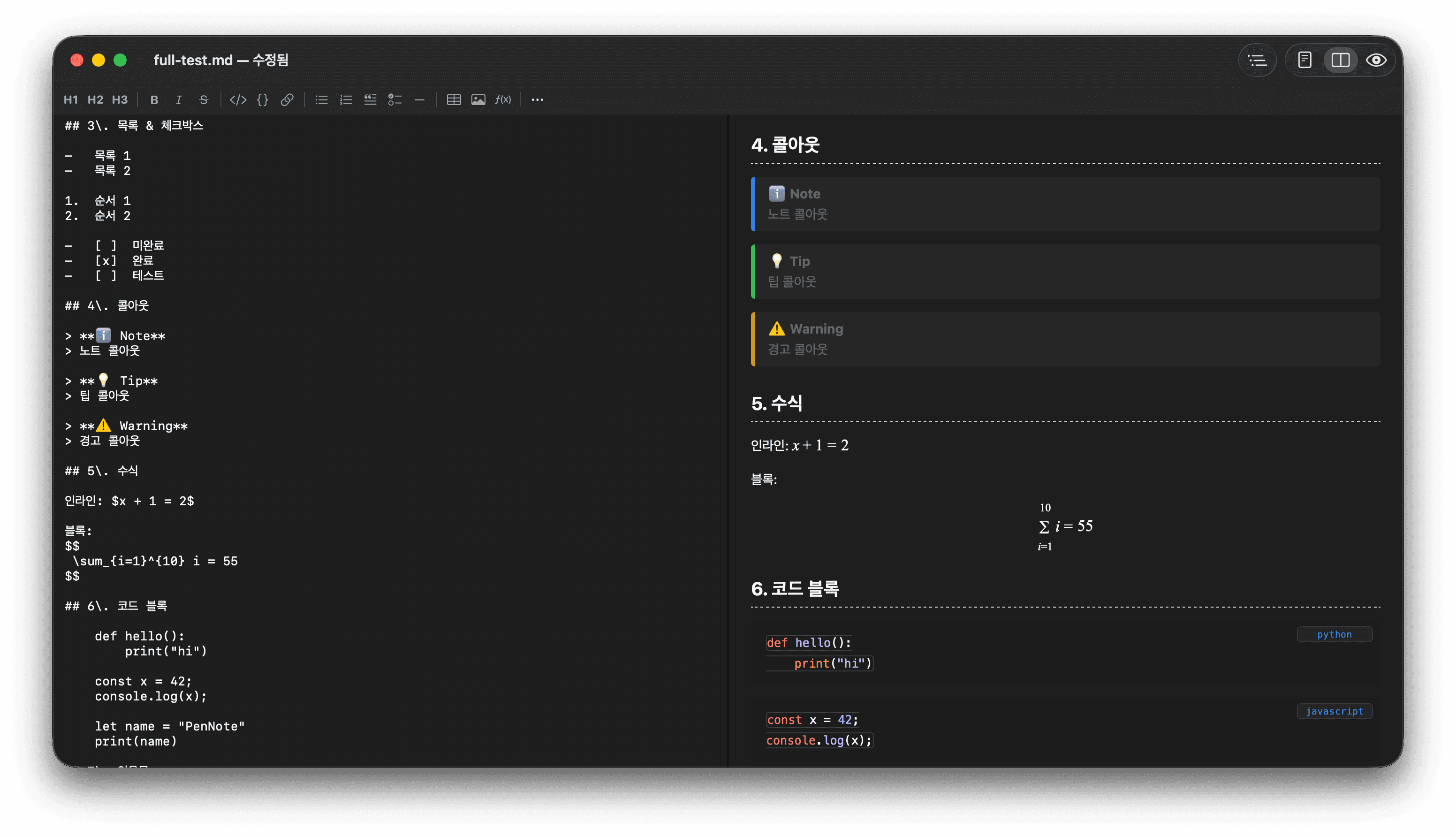
Live preview
Markdown on the left, preview on the right. Editor-only, split, or preview-only — three modes.
✏️
Edit what you see
Edit directly in the preview. Changes sync back to the markdown source.
🔤
Slash commands
Type / and get 24 formats. Headings, tables, code, equations, callouts.
📐
Math support
Type a formula, see it rendered instantly. Perfect for papers and reports.
📄
Smart PDF
A4 margins, block-aware page breaks. Paragraphs never get split in half.
🖼️
Paste images
Paste from clipboard with Cmd+V. Drag and drop works too.
📑
Outline sidebar
Automatic H1–H3 outline. Click a heading to jump there.
🔔
Callout blocks
Note, tip, caution, important, warning — five color boxes to highlight what matters.
Specs
Specifications
App size2.3 MB
PlatformmacOS / Windows
EngineSwift + WebKit
NetworkNot required
Code signingAd-hoc
StatusShipping
Input
Write your way
Keyboard Shortcuts
- Cmd+1/2/3Editor / Split / Preview
- Cmd+B / IBold / Italic
- Cmd+KInsert link
- Cmd+Shift+ECode block
- Cmd+DDuplicate line
- Alt+Up/DownMove line
- Ctrl+Cmd+TToggle outline
- Cmd+PPrint / PDF
Slash Commands
- /heading1~3Heading 1–3
- /bold /italicBold / Italic
- /codeCode block
- /tableInsert table
- /imageInsert image
- /mathInsert equation
- /todoChecklist
- /callout-noteCallout block
Markdown Syntax
- # / ## / ###Heading 1 / 2 / 3
- ---Divider
- - / 1.List / Numbered list
- - [ ]Checklist
- > Quote
- **text**Bold
Fast, lightweight, offline.
Download now.
macOS
Windows